
Introduction: Why is the internet slow today—again?
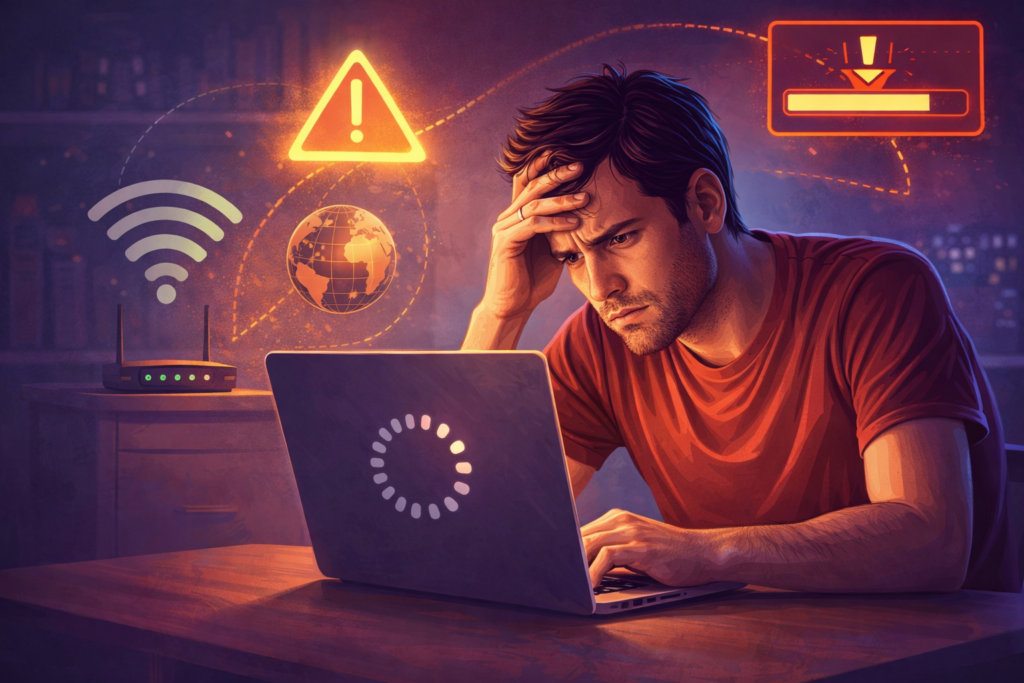
You open your laptop, click a video, and… buffering. Your messages lag, pages half-load, and suddenly you’re asking the same frustrating question many people ask daily: why is the internet slow today?
What makes this question tricky is that “the internet” isn’t a single thing. It’s a massive system made up of your device, your Wi-Fi router, your internet service provider (ISP), global networks, and the websites you’re trying to access. A slowdown anywhere along that chain can make everything feel painfully slow.
I’ve had days where I blamed my ISP—only to discover my router was overheating. Other times, everything at home was fine, but a major cloud service was having issues. This guide breaks down the real, most common reasons your internet feels slow today, using clear explanations and practical insights—not vague tech excuses.
How the internet actually works (quick refresher)
Before diving into causes, it helps to understand the basics.
When you load a website or stream a video:
- Your device sends a request
- Your router forwards it to your ISP
- Data travels across multiple networks
- A server responds and sends data back
If any step gets congested, misconfigured, or overloaded, your speed drops.
The most common reasons the internet is slow today
1. Network congestion (the #1 cause)
This is the most frequent answer to why is the internet slow today, especially in the evenings.
Network congestion happens when:
- Too many people use the internet at the same time
- ISPs share bandwidth across neighborhoods
- Streaming, gaming, and remote work peak simultaneously
📌 Personal insight: Internet speeds often dip between 7 PM and 11 PM because that’s when everyone is streaming, gaming, or video calling.
2. Your Wi-Fi is the real bottleneck
Many people assume slow internet equals a bad ISP—but often, it’s Wi-Fi.
Common Wi-Fi problems include:
- Router placed too far away
- Thick walls or interference
- Old routers that can’t handle modern speeds
- Too many connected devices
Even with fast internet, poor Wi-Fi can cut speeds by 50% or more.
3. Too many devices using bandwidth
Your connection is shared among all active devices:
- Smart TVs
- Phones
- Laptops
- Security cameras
- Cloud backups
- Automatic updates
A single 4K stream or large cloud sync can silently consume most of your bandwidth.
4. ISP throttling or traffic management
Some ISPs slow certain types of traffic during peak hours, such as:
- Video streaming
- Torrenting
- Cloud backups
This practice—called traffic shaping—is legal in many regions and often hidden in terms of service.
You can test real-world speed using tools like Speedtest by Ookla to compare advertised vs actual performance.
5. Website or server issues (not your fault)
Sometimes, the problem isn’t your internet at all.
Websites can slow down due to:
- Server overload
- Maintenance
- Regional outages
- DDoS attacks
If one site is slow but others load fine, the issue is likely on their end.
6. DNS problems
DNS servers translate website names into IP addresses. If your DNS provider is slow, everything feels slower—even if bandwidth is fine.
This is why switching to public DNS (like Google or Cloudflare) often improves perceived speed.
7. Outdated hardware or software
Old equipment struggles with modern internet usage:
- Routers older than 4–5 years
- Devices with outdated Wi-Fi standards
- Old network drivers
- Unpatched operating systems
Technology moves fast—your hardware might not.
8. Background apps & malware
Hidden processes can quietly slow your connection:
- Auto-updates
- Cloud sync tools
- Adware or malware
- Browser extensions
I once found a browser extension sending constant background requests—removing it instantly improved speed.
Internet slow today? Quick comparison table
📊 Where the slowdown usually happens
| Layer | Common Issue | Who controls it |
|---|---|---|
| Device | Malware, updates | You |
| Wi-Fi | Weak signal, old router | You |
| Home network | Too many devices | You |
| ISP | Congestion, throttling | ISP |
| Website | Server overload | Website owner |
How to quickly diagnose where the problem is
Step 1: Test your speed
Run a speed test and note:
- Download speed
- Upload speed
- Ping/latency
Compare it with what you’re paying for.
Step 2: Try a wired connection
If Ethernet is fast but Wi-Fi is slow → Wi-Fi issue confirmed.
Step 3: Test multiple websites
If only one site is slow → server-side issue.
Step 4: Restart your router (seriously)
This clears memory leaks, resets connections, and often fixes temporary issues.
Why the internet feels slower than it used to
Here’s a fresh perspective many articles miss.
The internet isn’t always getting slower—our expectations are getting higher.
Today we:
- Stream in 4K
- Video call in HD
- Sync massive cloud files
- Run dozens of apps at once
What felt “fast” five years ago feels slow now because usage has exploded.
When slow internet is a sign of a bigger issue
Sometimes, repeated slowdowns indicate:
- Overloaded local infrastructure
- ISP capacity problems
- Aging cables or lines
- Neighborhood oversubscription
If slow speed is constant (not just today), it may be time to:
- Upgrade your plan
- Switch ISPs
- Request a line inspection
Simple fixes you can try right now
✔ Restart modem & router
✔ Move closer to the router
✔ Disconnect unused devices
✔ Pause large downloads
✔ Update router firmware
✔ Switch DNS servers
✔ Scan for malware
Small changes often make a big difference.
The future: Will internet speeds get better?
Yes—but unevenly.
- Fiber and 5G are expanding
- Network infrastructure is improving
- But usage is also exploding
This means some days, congestion will still happen—even with better tech.
Conclusion: So, why is the internet slow today?
In most cases, the internet isn’t broken—it’s busy.
The slowdown could come from:
- Network congestion
- Wi-Fi limitations
- Too many connected devices
- ISP traffic management
- Website-side issues
The key takeaway? Diagnose before you blame. Once you know where the slowdown is happening, fixing it becomes much easier.
Call to Action 🚀
Is your internet slow right now, or was this just one of those days?
👉 Share your experience in the comments
👉 Explore our guides on Wi-Fi optimization and internet speed upgrades
👉 Subscribe for practical tech tips that actually save time
Understanding why your internet is slow today is the first step toward making it faster tomorrow.